Real-world example
Real-world example: C. Muñoz
A real project: an AI workflow that automatically sorts email by urgency, routes urgent messages to Slack, and summarizes the rest daily.
- ± 1.5 hours per morning· Inbox time before
- 9–10 hours per week· Time saved
- ± 70%· Less time in the inbox
The bottleneck
C. Muñoz spent about an hour and a half every morning working through the inbox to figure out what mattered — and still regularly missed a message until someone came chasing it.
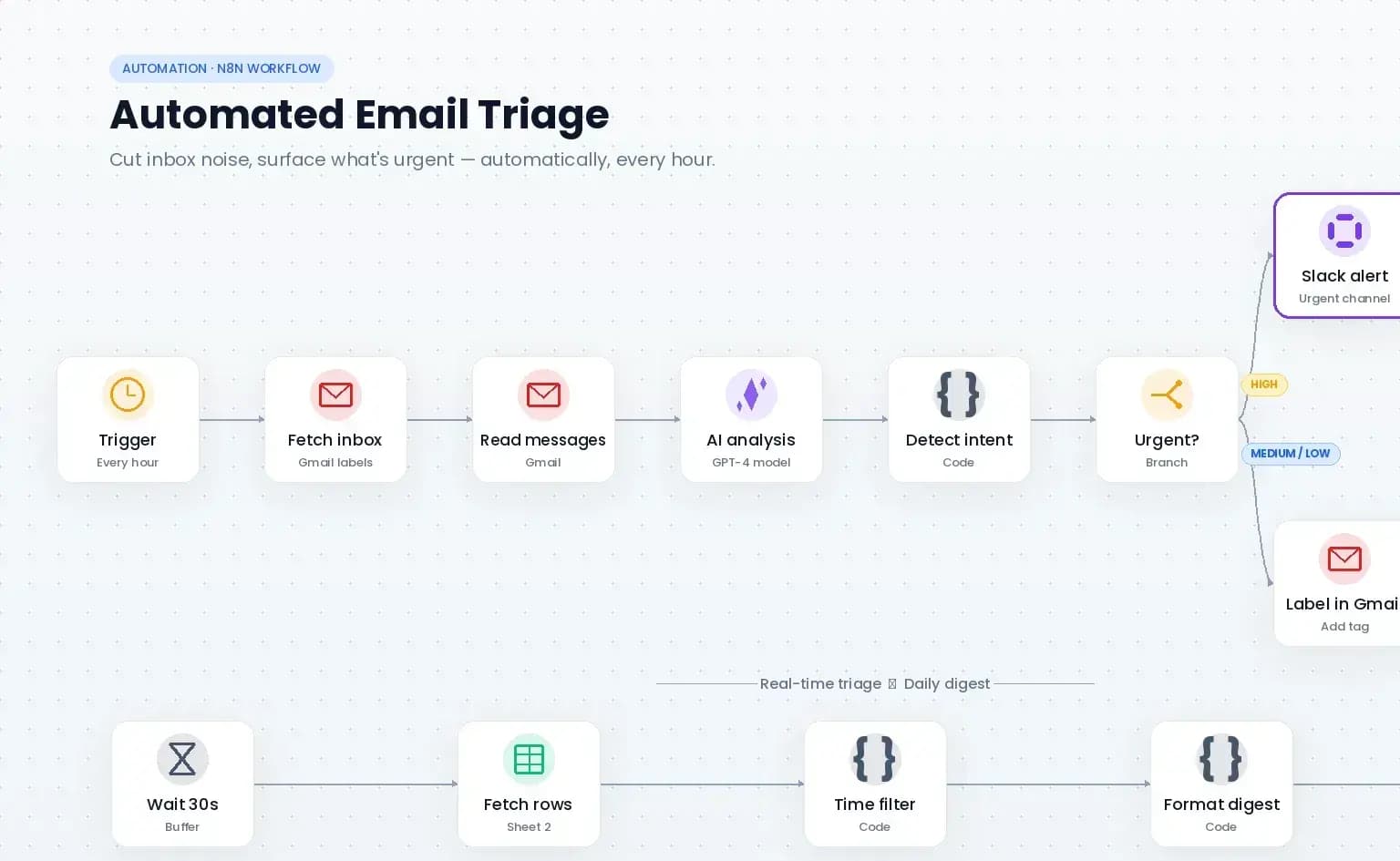
What Automatiza LATAM delivered for C. Muñoz
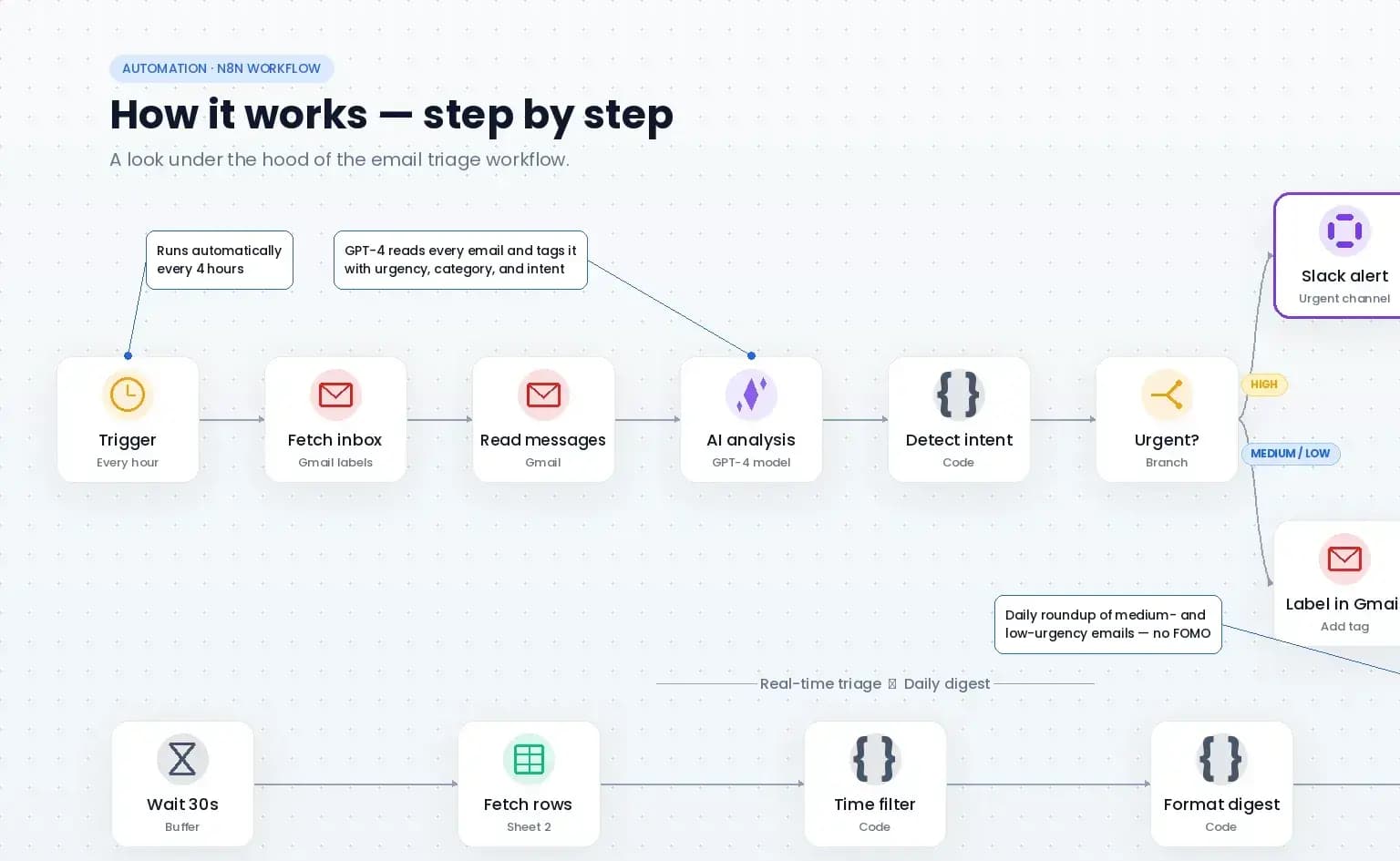
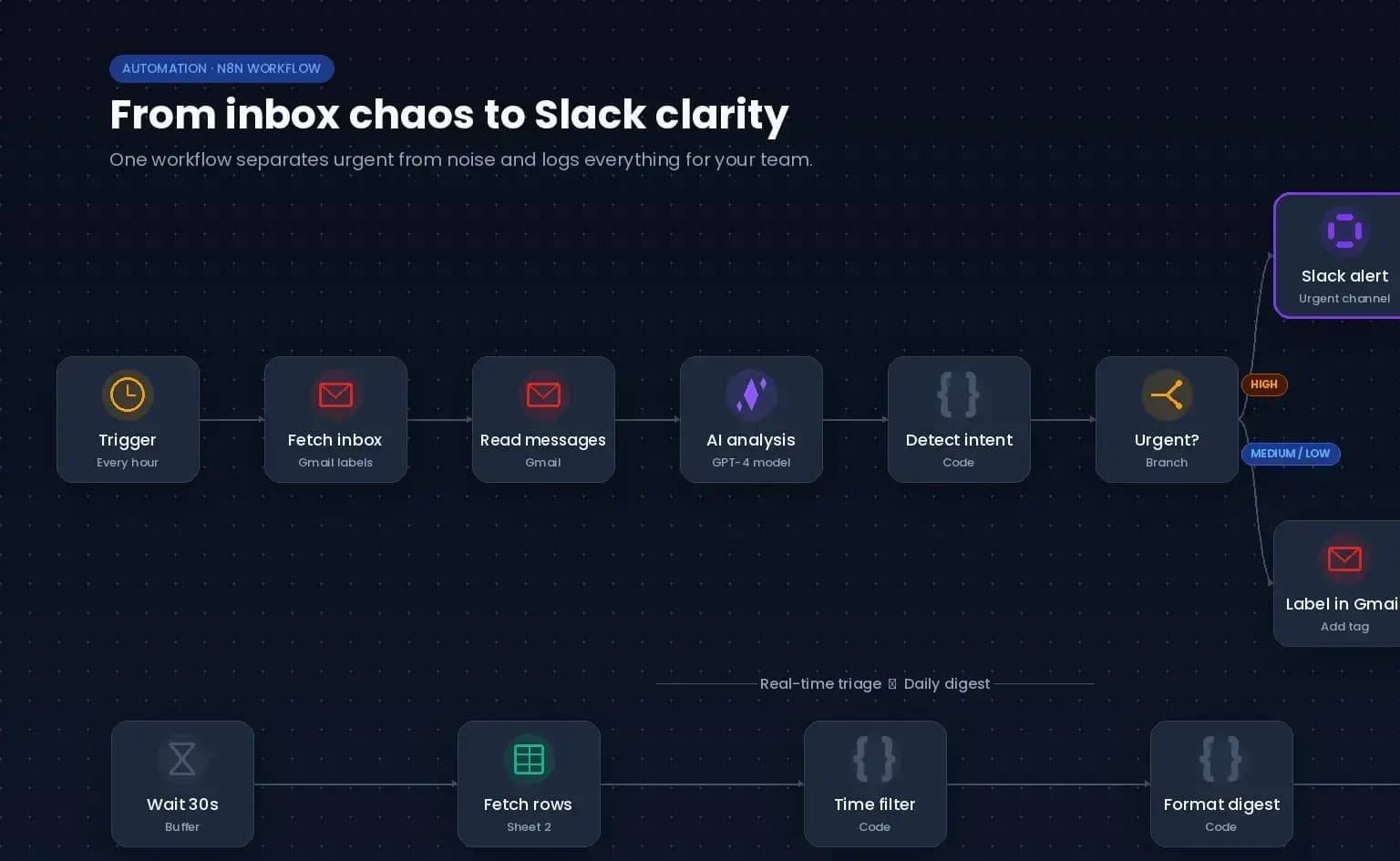
For C. Muñoz, Automatiza LATAM built an automated email triage. An AI model reads every incoming email, determines urgency, category, and intent, sends urgent messages straight to a Slack channel with a short summary, and bundles less urgent email into a daily digest. That way the founder sees at a glance each morning what truly matters.
Actual delivery
- AI analysis of every incoming email for urgency, category, and intent
- Instant Slack alert for urgent messages, with a short summary
- Daily Slack digest of less urgent email
- Automatic Gmail labels per urgency level
- Logging of processed messages in Google Sheets
- Set up in line with the GDPR (privacy-aware email processing)
What it gives the founder
± 1.5 hours per morning
Inbox time before
9–10 hours per week
Time saved
± 70%
Less time in the inbox
Within 2 minutes
Time to clarity
This example uses an authentic customer quote. The time saving stated is the customer's own estimate.
Honestly, my inbox was the first thing I dreaded every morning. I'd easily lose an hour and a half before I even figured out what actually mattered that day, and even then I'd still regularly miss something until someone came after me asking why I hadn't replied. Since we set this up, that problem is basically gone. I open Slack, immediately see what's urgent at the top with a short summary, and within two minutes I know exactly what I need to work on. It saves me about 9 to 10 hours a week — almost a full working day. But what I hadn't expected is how much calmer my head has become. That constant feeling of 'I'm probably missing something' is gone, and personally I find that even more valuable than the time I get back.
Ready to make one process smarter?
Tell us where your team loses time. We turn it into practical automation ideas and a safe first step.
Free, no obligation.